Introduction
Target hosts identify where Data Sync writes data. You can add a Microsoft SQL Server target (Azure SQL, Azure SQL Managed Instance, or on-premises) or a Microsoft Fabric Data Warehouse target.
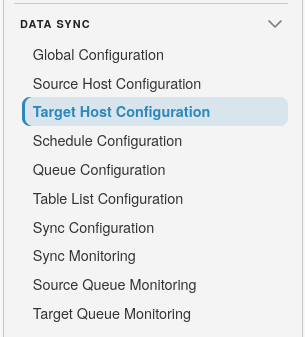
To get started, open SQLSync from the landing page, then select Data Sync Target Host Configuration:
Target Host list
The list shows registered target hosts, their type, instance name, and active state.
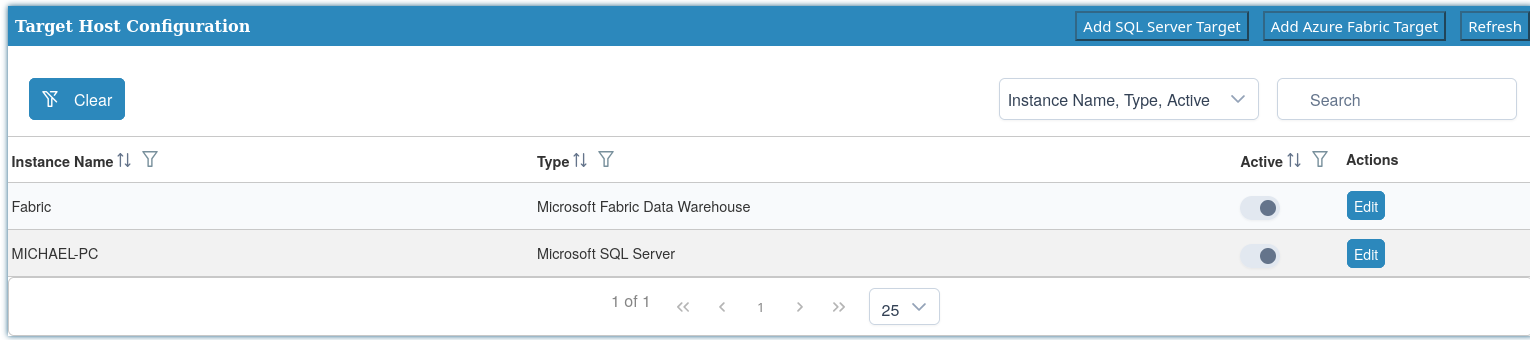
Header actions:
- Add SQL Server Target - create a SQL Server destination
- Add Azure Fabric Target - create a Fabric Data Warehouse destination
- Refresh - reload the list
Use the row Edit action to update an existing target host.
Add a SQL Server target
Select Add SQL Server Target. Use this for Azure SQL, Azure SQL Managed Instance, or on-premises Microsoft SQL Server destinations.
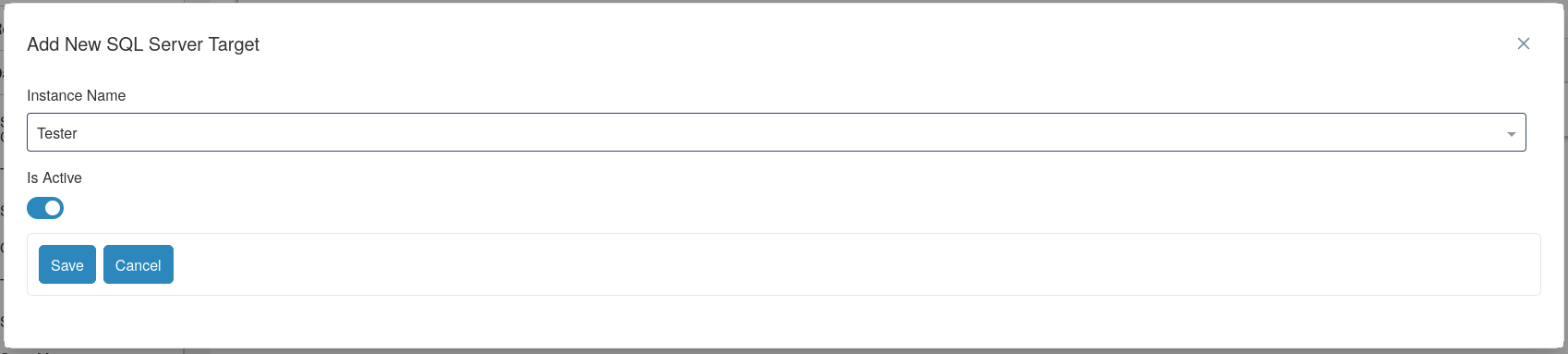
Fields:
- Instance Name - the SQLPro instance to use as the target. Required. Locked after the host is created.
- Is Active - when off, the host is unavailable for new sync configurations.
Select Save or Cancel.
Add an Azure Fabric target
Select Add Azure Fabric Target.
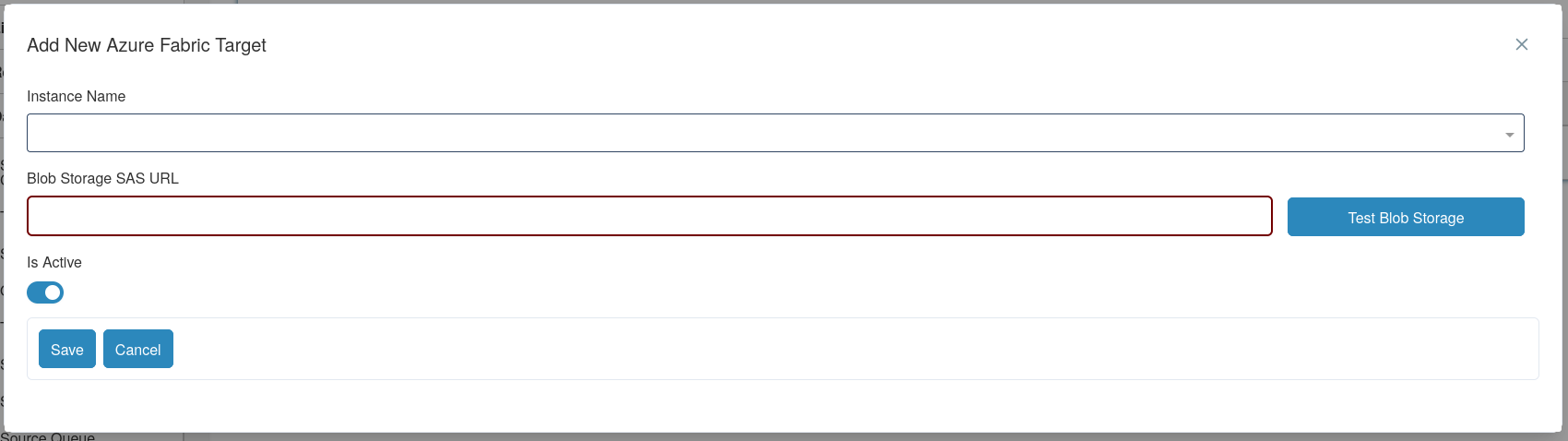
Fields:
- Instance Name - the SQLPro Fabric instance. Required. Locked after the host is created.
- Blob Storage SAS URL - Azure Blob Storage shared access signature URL used to stage data during sync. Required for Fabric targets.
- Test Blob Storage - validates that SQLPro can use the SAS URL.
- Is Active - when off, the host is unavailable for new sync configurations.
Warning
Fabric targets require a working Blob Storage SAS URL. Without it, initial sync and delta apply cannot stage data for the warehouse.
Tip
Use Test Blob Storage after entering the SAS URL and before saving, so connection problems are caught early.
Select Save or Cancel.