Introduction
Instance groups allow you to group certain instances and run queries on all the instances in the group. It also creates another filter option for you when configuring databases, looking at reports, and executing queries.
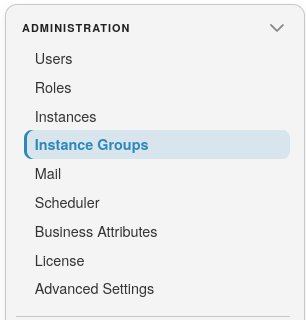
To add instances to groups, open a module from the landing page, then select Administration >> Instance Groups:
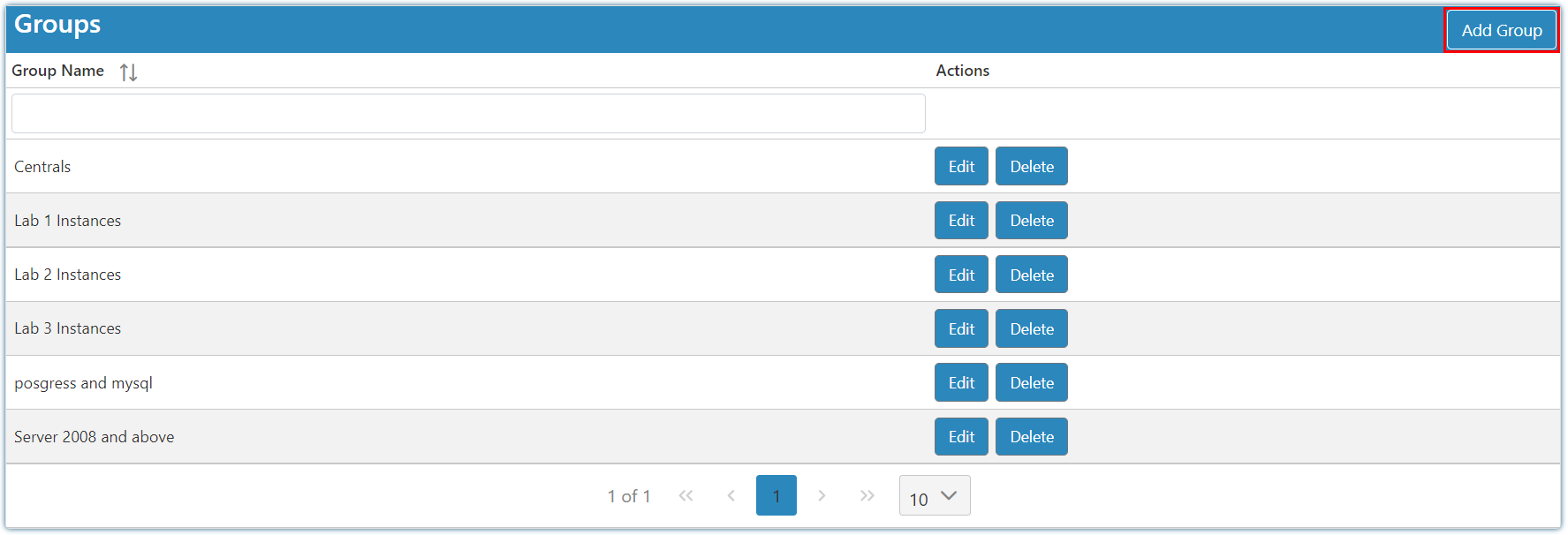
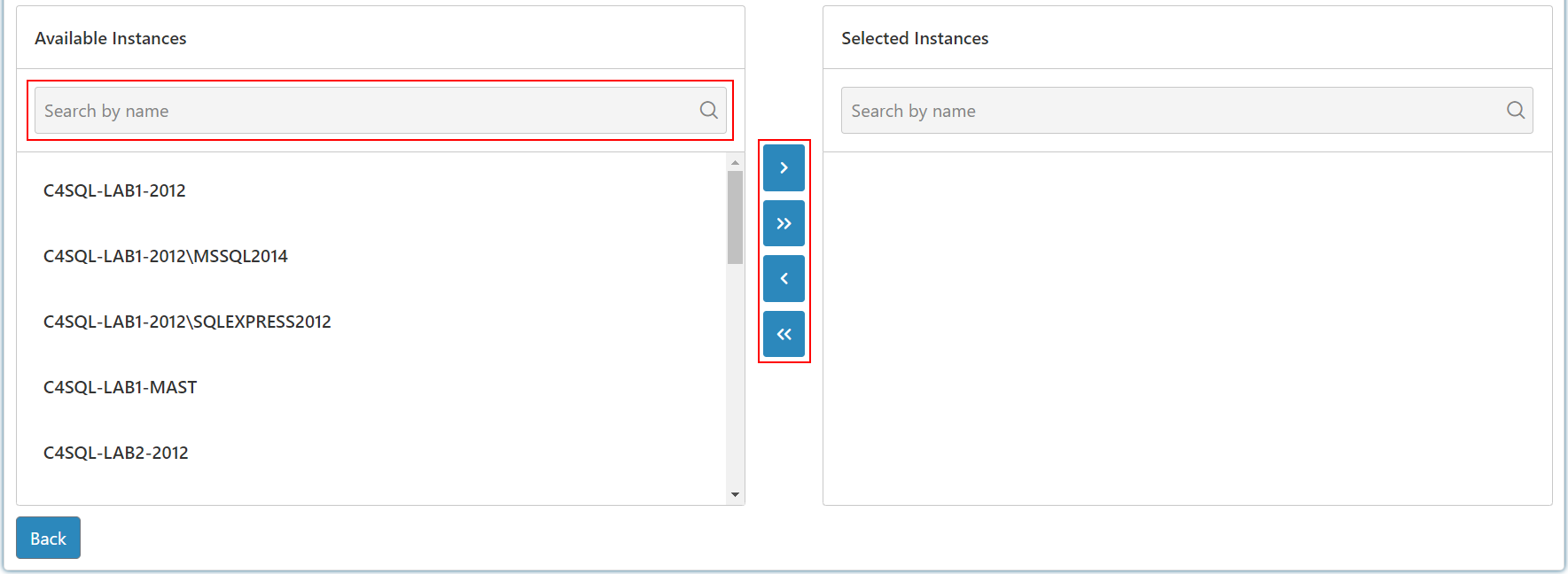
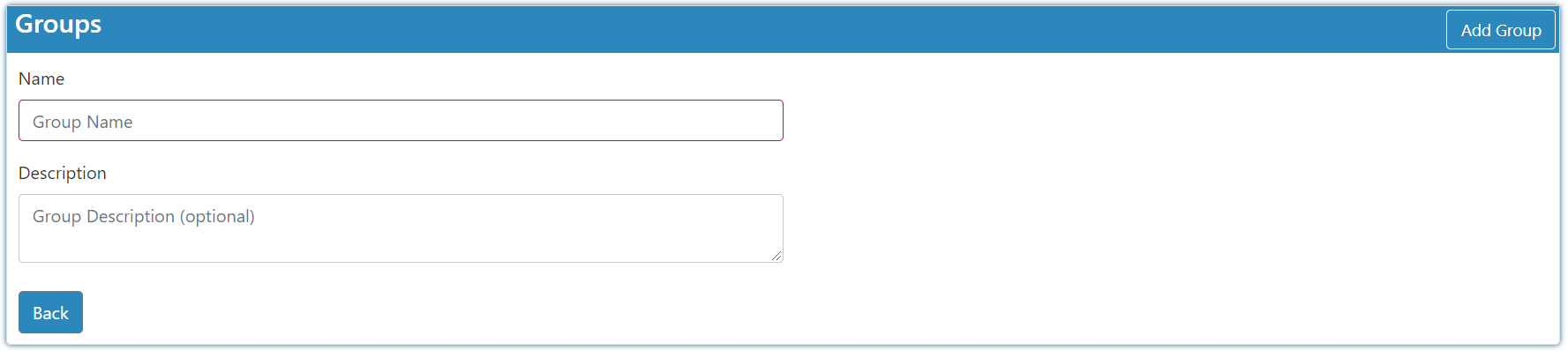
When creating a group it is first required that you enter a name for your group before being able to move instances in and out of the said group. The two respective lists will then pop up.
You can use drag and drop or select the instance and use the provided buttons when moving instances.
Note
You can select multiple instances by holding down the Control key and clicking on more than one instance.